
|
V1.0 |
|
How to Set Up or Turn Off Auto-Renewal for a Single Domain
How to Set Up or Turn Off Auto-Renewal for a Single Domain
Before You Begin - Confirm the exact domain or service and its current expiry date. - Make sure the account has sufficient balance or a valid payment method. - Back up website, server and DNS data when expiration could interrupt service. Auto-renewal helps prevent your domain from expiring by renewing it automatically when renewal is due. For a single domain, you can enable or disable auto-renewal from the domain management page. How to Access Auto-Renewal Settings Step 1: Log in to your NiceNIC account Navigate to: My Products > Domain Name Find the domain you want to manage, then click "Manage" 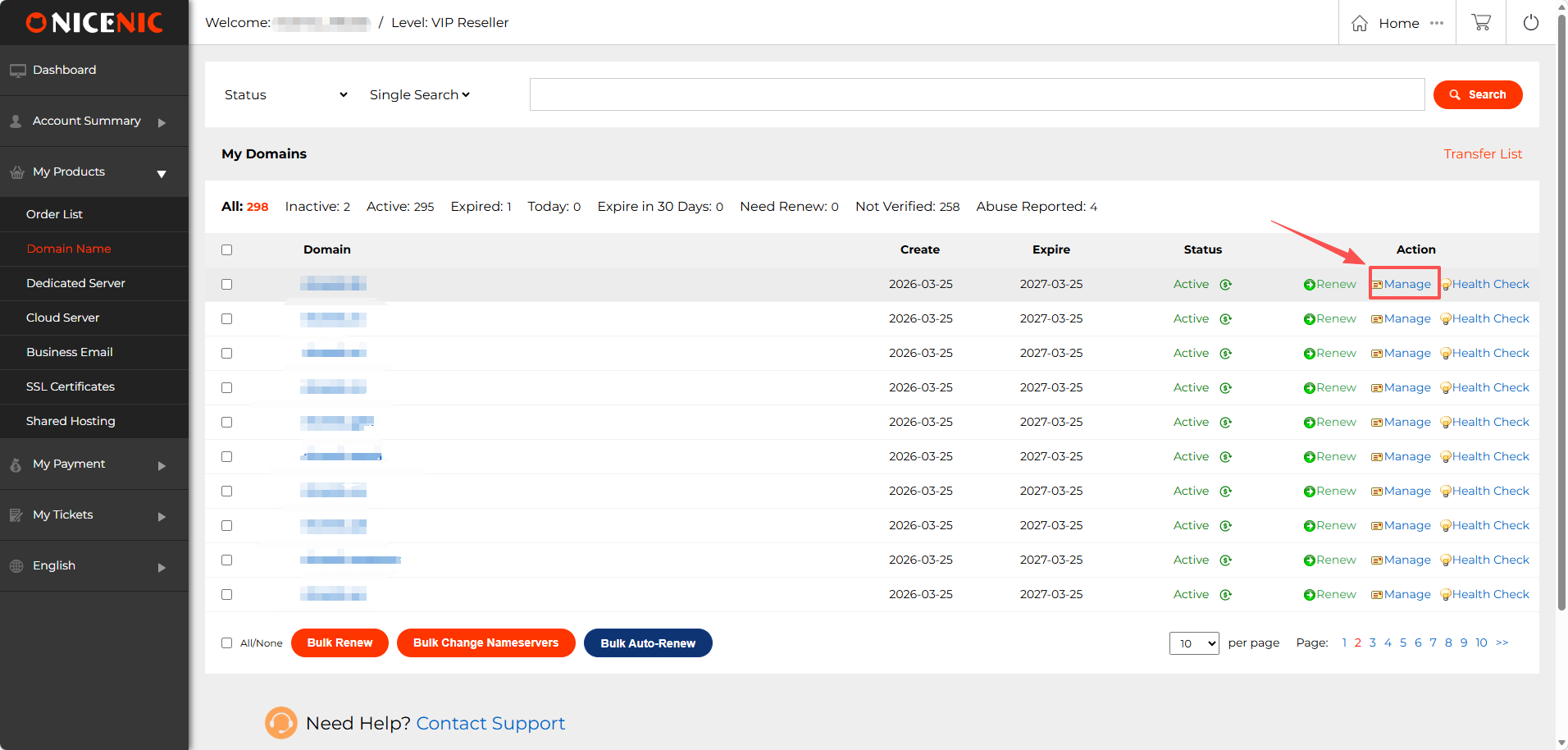
Step 2: Open Auto-Renewal Settings On the domain management page, find "Auto-Renew" Then click "Modify" 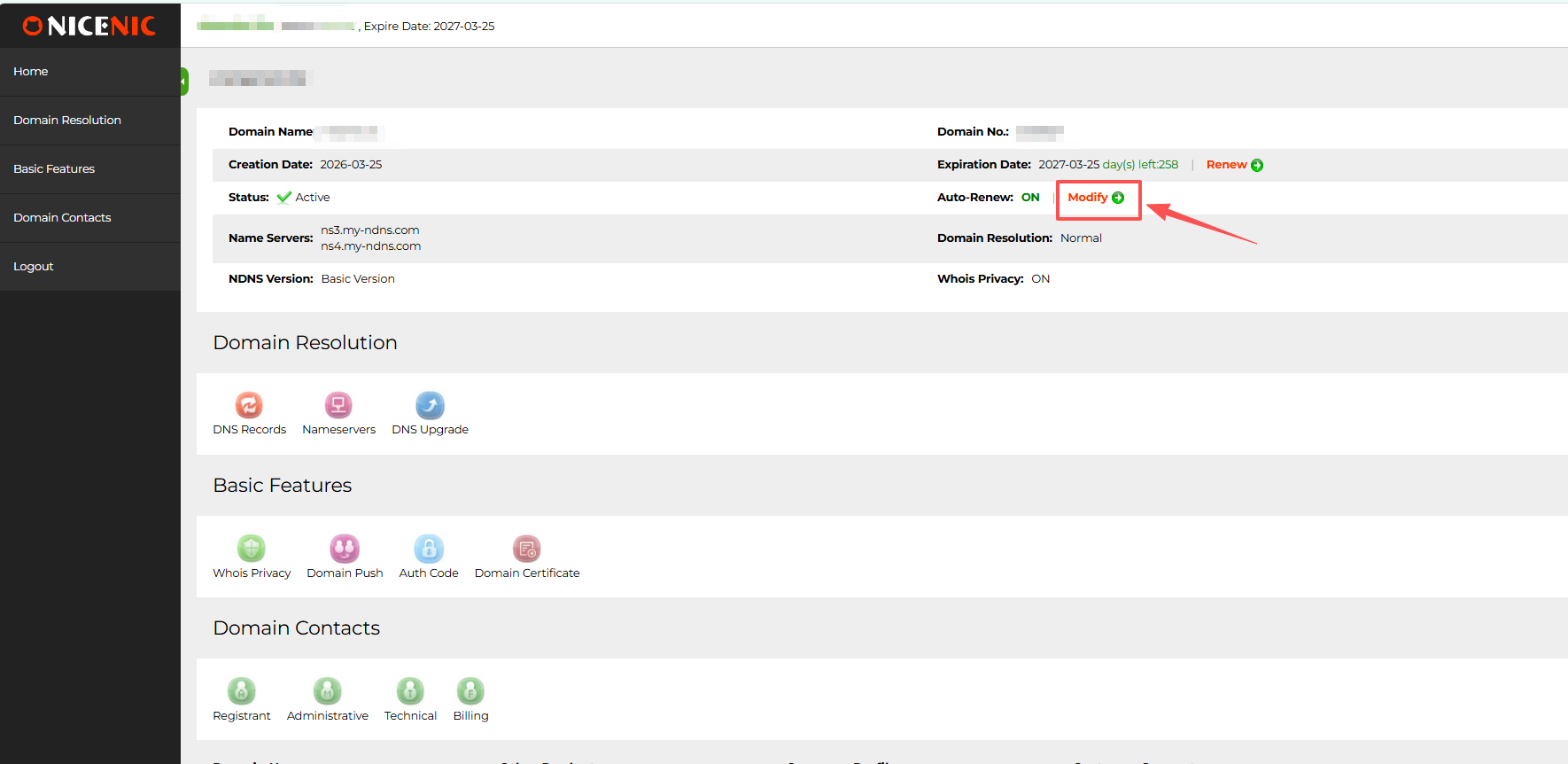 Step 3: Set Auto-Renewal Options On the auto-renewal page, you can set the renewal term, renewal mode, and active status. Step 4: Check the Result If you selected Active: Yes, the page may show: enable Auto-Renew successfully! This means auto-renewal has been enabled for the domain. 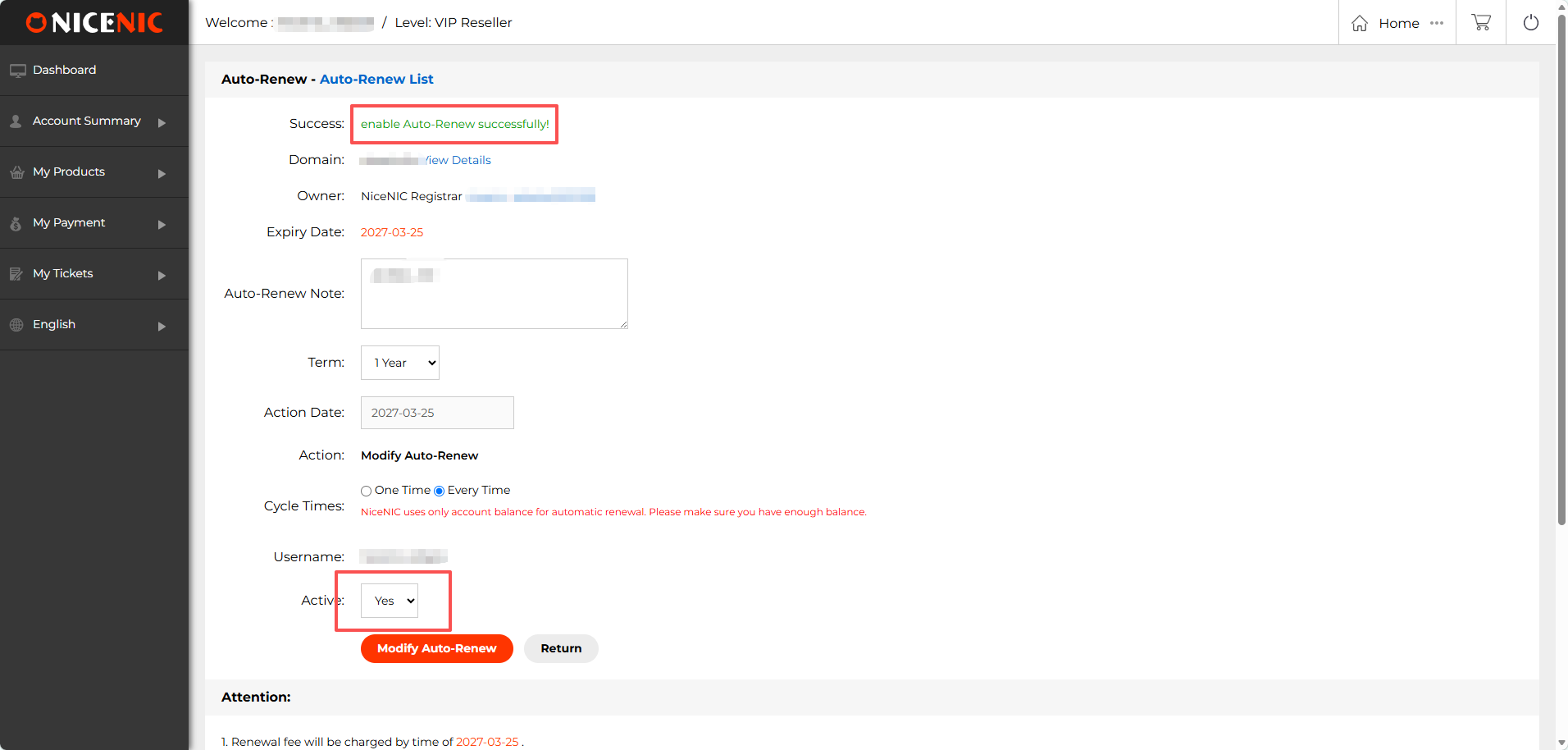 If you selected Active: No, the page may show: disable Auto-Renew successfully! This means auto-renewal has been turned off for the domain. 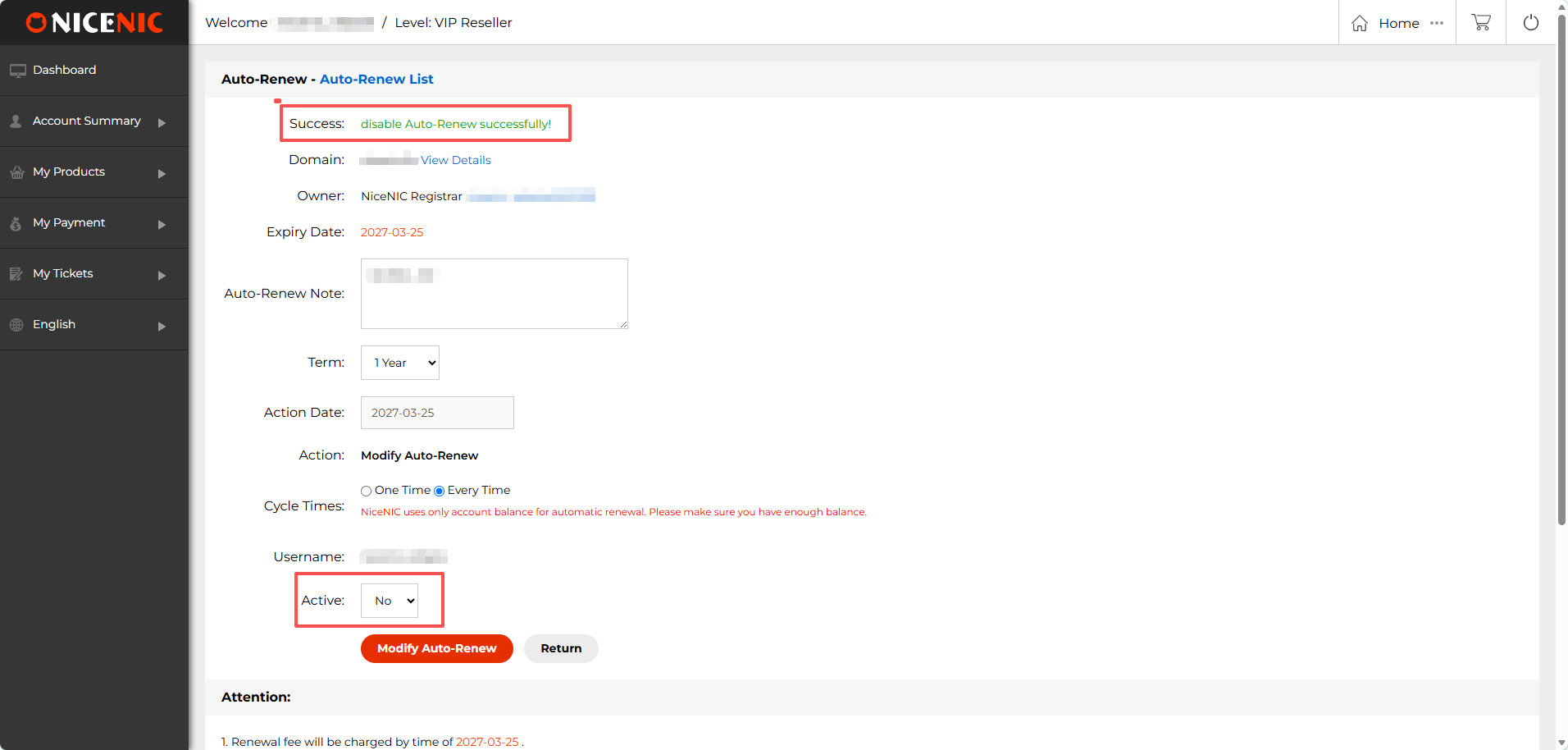 Related NiceNIC Guides
|
 返回
返回 打印
打印