Restoring Name Servers to Their Default Settings
Before You Begin
- Confirm which nameservers are authoritative for the domain.
- Copy the current DNS records before making changes.
- Have the exact host/name, record type, value, priority and TTL required by the destination service.
Utilizing NiceNIC.NET name servers will allow the management and modification of DNS records.
Steps
1.Login into your account and on the domain name in "My Products"
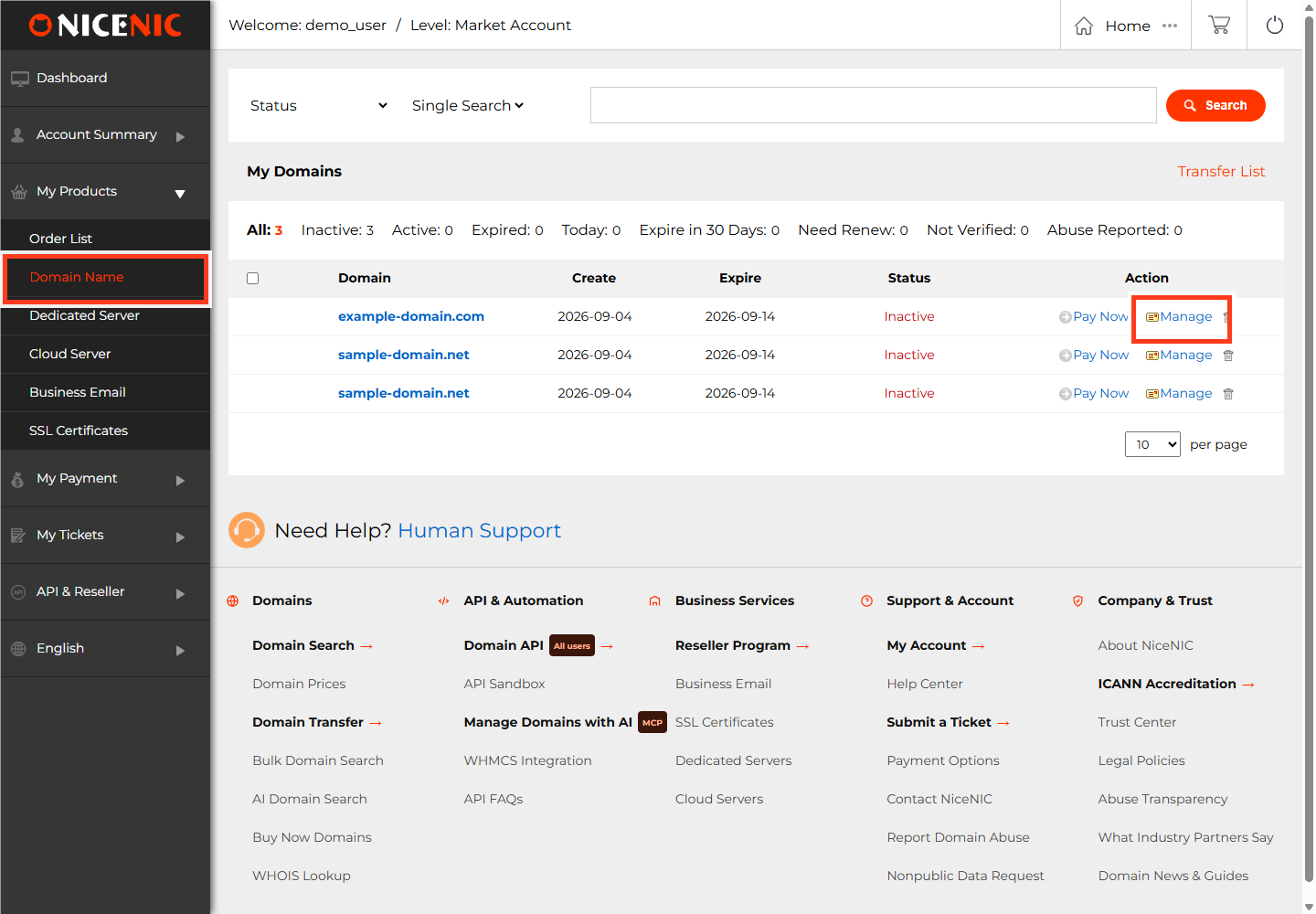
2.Click on the domain name you would like to edit
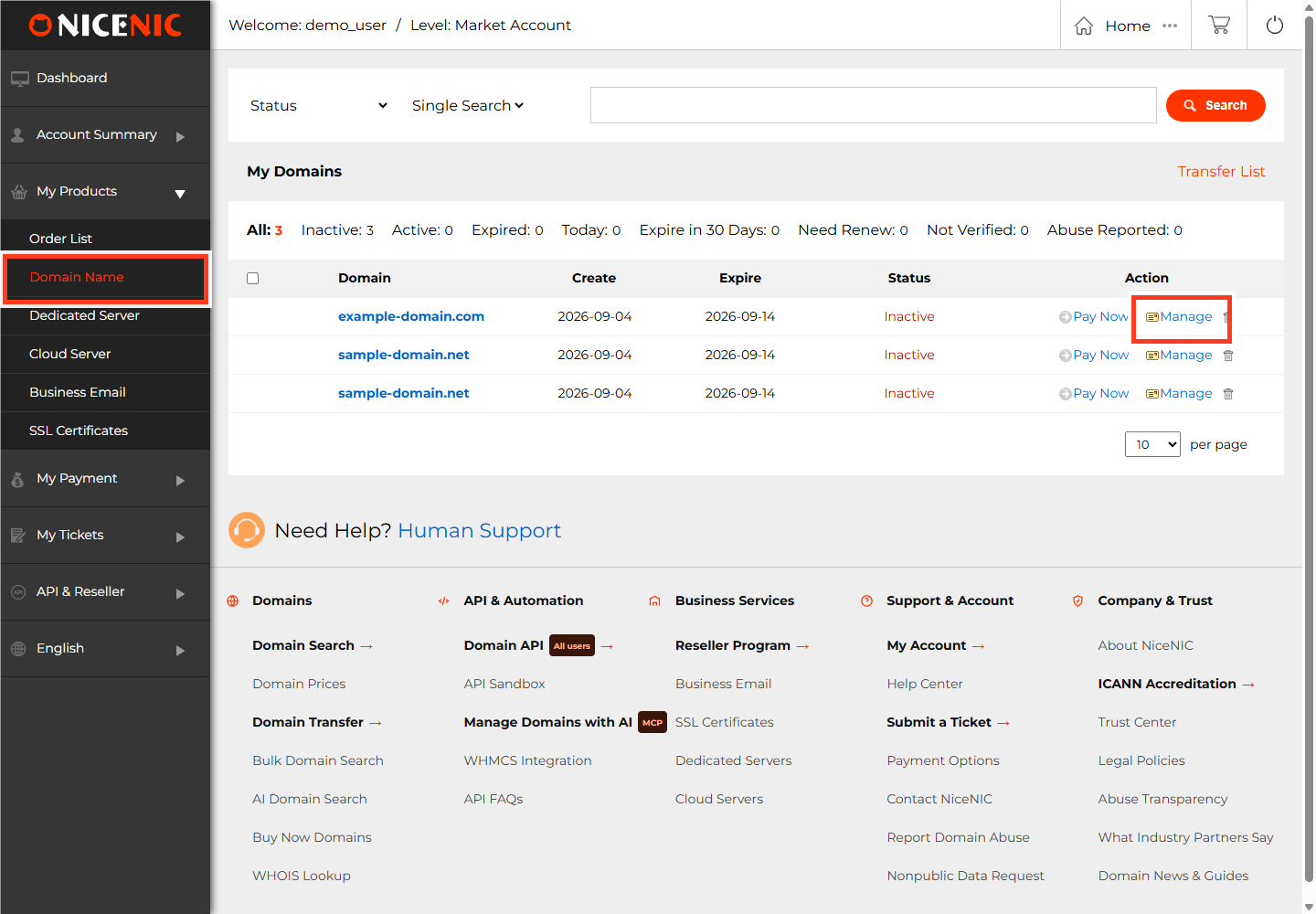
3.Click Domain Services on the left
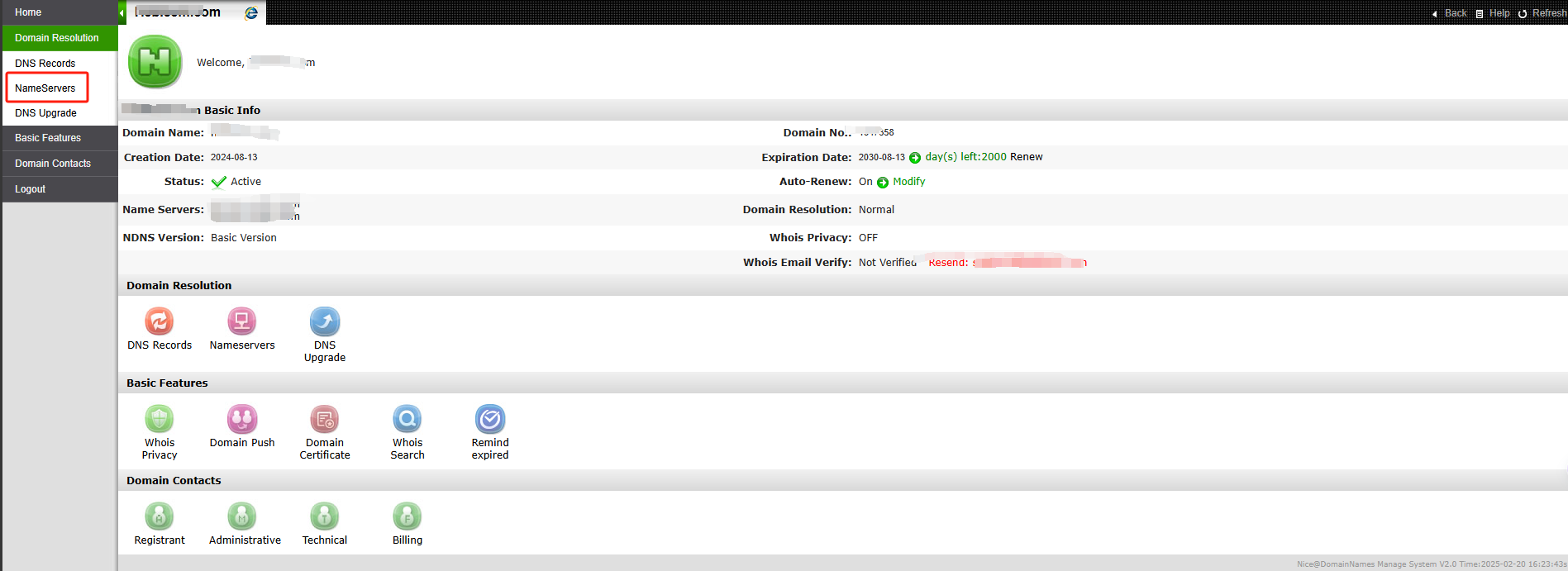
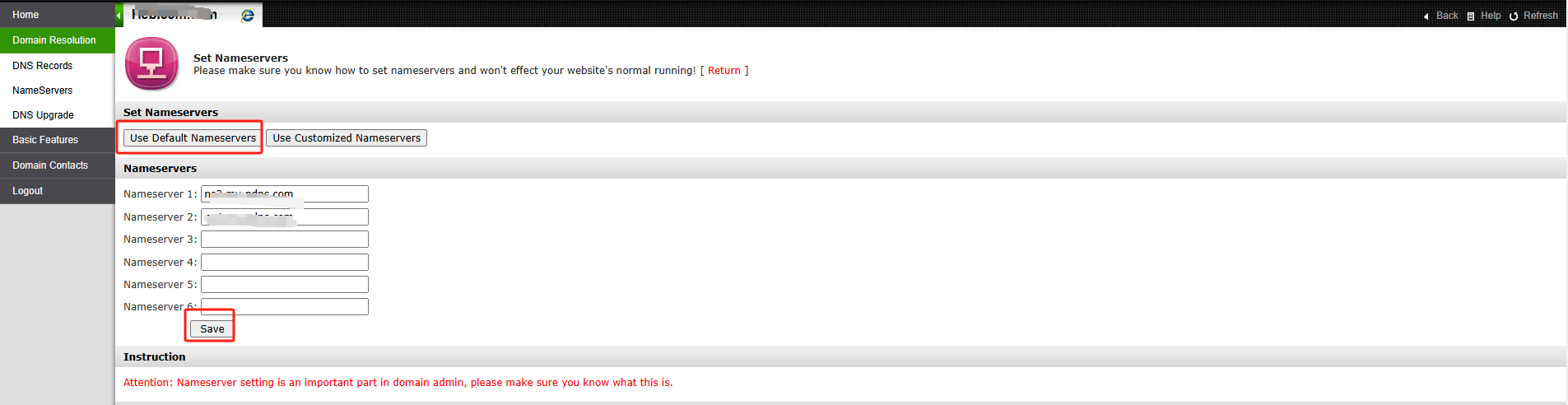
4.Click Use default name servers, then click Save to restore the name servers to the default settings.
Related NiceNIC Guides
If the issue continues after you complete the checks above, submit a NiceNIC support ticket with the affected domain or product, the exact error message, the time of the issue and the troubleshooting already completed.

 返回
 打印